

So, I've been seeing these AI pet portraits all over the internet. Everyone seems to be turning their furry friends into kings and queens or cartoon characters. Naturally, I had to try it out myself. I tested out a bunch of apps to see if they could capture my dog's goofy charm. Let's just say, some were better than others. I went into this looking for the best AI Pet Portraits, and honestly, I found some surprising results.
Key Takeaways
- FARBA offers a wide range of styles for AI Pet Portraits, from royal paintings to cartoons, and generally does a good job of keeping the pet's likeness.
- Midjourney can produce impressive results, but often requires more specific prompting and might not be as straightforward for quick pet portraits.
- While ChatGPT and Gemini are powerful AI tools, they are better suited for generating text prompts for other image generators rather than creating the portraits directly.
- Nano Banana's AI Pet Portrait generator was surprisingly good at creating realistic, toy-like representations from a single photo with minimal input.
- The overall quality and ease of use for AI Pet Portraits can vary significantly between apps, with some focusing on artistic interpretation and others on realistic rendering.
1. FARBA
So, FARBA. This was one of the first apps I tried, and honestly, it set a pretty high bar. The whole idea is to take a regular photo of your pet and turn it into something way more artistic, like a painting or a cartoon. You just upload a picture, pick a style – they have stuff like 'Royal Painting,' 'Cartoon Pet,' and even 'Wildlife' – and then you hit generate. It's pretty quick, usually done in about 30 seconds.
What I liked is that it doesn't just slap a filter on your pet's face. It actually creates a whole new image. They claim it preserves breed-specific features, and for the most part, it really does. My dog, Buster, is a mutt with very specific floppy ears, and FARBA managed to keep that look even when he was turned into a Renaissance-style portrait. It’s kind of wild how it works.
Here’s a quick rundown of what you can expect:
- Style Variety: They offer a good range, from classic oil paintings to more playful cartoon looks.
- Speed: Results come back super fast, which is great when you're just messing around.
- Likeness: It’s surprisingly good at keeping your pet looking like, well, your pet.
They also mention it's good for printing, which I didn't test, but it's nice to know the output is supposed to be that sharp. It's free to download and try out a few styles, but if you want the fancier ones, like the really detailed fantasy scenes, you'll need to pay for an in-app subscription. It's a solid option if you want something that feels a bit more polished than just a quick filter.
FARBA really stands out because it generates a completely new artwork, not just an overlay. This means the composition and artistic styling are all part of the AI's creation, making the final piece feel much more authentic and gallery-ready.
It's definitely a good starting point for anyone looking to get some cool pet pictures without a lot of fuss. I found it to be a pretty user-friendly experience, even for someone who isn't super tech-savvy. You can find similar services if you look into AI auto sales, though the application is quite different.
2. Midjourney
Midjourney was another popular choice for AI art, and I was curious to see how it would handle pet portraits. The interface is pretty straightforward once you get the hang of it, mostly involving typing prompts into a Discord chat. It felt a bit like a secret club at first, but the results were often quite striking.
I found that Midjourney really shines when you're looking for a specific artistic style. For my dog, I tried prompts aiming for a "3D Pixar style cartoon" and was pretty impressed with how it interpreted the requests. It's great at capturing a certain mood or aesthetic, often producing images that look like they could be stills from an animated movie. The key is really in the prompt engineering; the more detail you give, the closer you get to your vision.
Here's a quick look at what I tried:
- Prompting for Style: I focused on descriptive words like "Pixar style," "cartoon," and "3D illustration" to guide the AI.
- Describing the Pet: Including breed, color, and even specific features like "big eyes" helped Midjourney create a recognizable likeness.
- Setting the Scene: Adding details about the environment, like "running through a field of wildflowers" or "in the canyons of Bryce Canyon," gave the portraits context and depth.
While Midjourney can produce some amazing results, it sometimes felt like a bit of a guessing game to get exactly what I wanted. The iteration process, where you refine prompts based on initial outputs, is where the real magic happens. It's a powerful tool for creating unique AI pet portraits, but it definitely requires some patience and experimentation to master.
Getting the perfect output from Midjourney often involves a few tries. Don't be discouraged if the first attempt isn't exactly what you pictured. Refining your prompts is part of the creative process, and the results can be well worth the effort.
3. ChatGPT
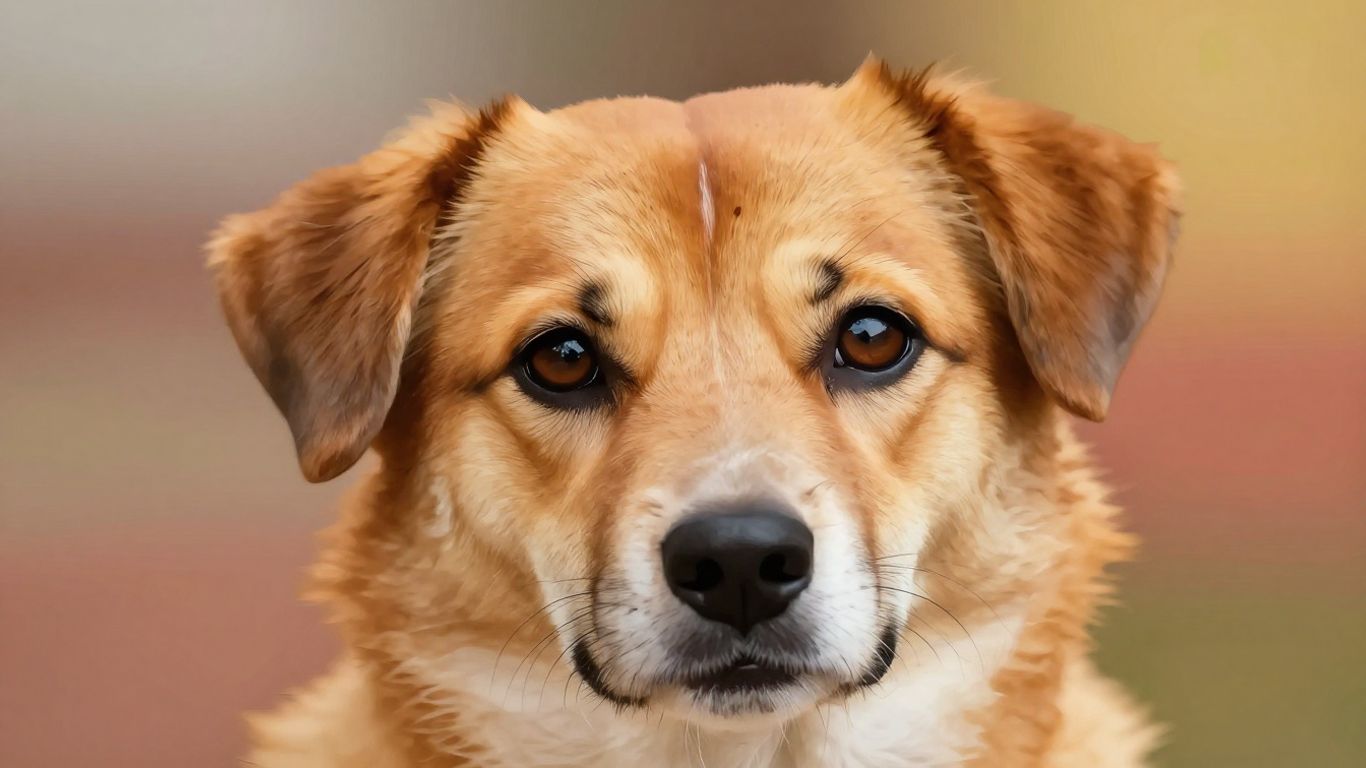
Okay, so ChatGPT. I know, I know, it's everywhere. You can ask it to write poems, code, and apparently, make pet portraits. I figured, why not give it a shot? I uploaded a picture of my cat, Mittens, expecting something… well, something. The results were surprisingly varied, and honestly, a bit hit-or-miss.
It's not really built for image generation itself, so it relies on describing what it thinks a pet portrait should look like. This means you get a lot of text-based prompts that you then have to feed into another AI image generator. It’s like a two-step dance.
Here’s a rough idea of how it went:
- Prompting: I’d give it a description of Mittens, and it would spit out a detailed prompt. Sometimes it was good, like "A fluffy ginger cat with bright green eyes, sitting regally on a velvet cushion, in the style of a Renaissance painting." Other times, it was a bit… generic. "Cat portrait, cute, fluffy."
- Output: The actual images generated from these prompts (using a separate tool, remember) were all over the place. Some looked pretty decent, capturing Mittens' grumpy expression. Others were just… weird. Like, a cat with six legs or a tail that looked like a noodle.
- Refinement: You can ask ChatGPT to tweak the prompts, which is helpful. "Make the background more dramatic," or "Give the cat a tiny hat." It’s a back-and-forth that can get you closer to what you want, but it takes patience.
It felt less like a direct pet portrait tool and more like a creative writing assistant that helps you brainstorm ideas for other AI art generators. It's a neat trick, but not exactly a one-stop shop for getting that perfect picture of your furry friend.
While it’s a powerful tool for generating text and ideas, using ChatGPT for pet portraits felt like using a hammer to stir coffee. It works, sort of, but there are definitely better tools for the job.
4. Gemini
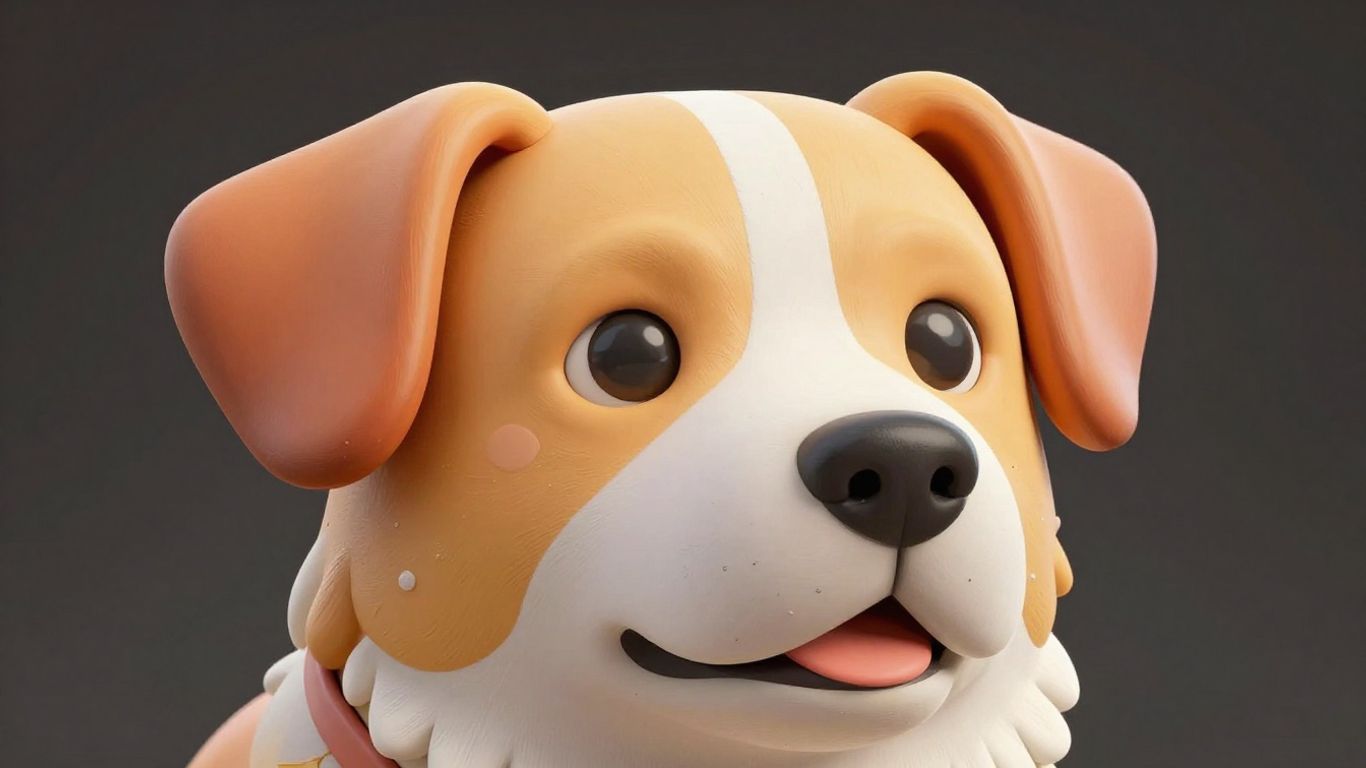
Okay, so Gemini. This one was a bit of a surprise, honestly. It’s got this whole trend going on called the 'Nano Banana' effect, which sounds wild, I know. Basically, you upload a picture of your pet, and it turns them into these super detailed 3D figurines. It’s pretty wild to see your dog or cat looking like a collectible toy.
I tried it out, and it was surprisingly fast. You upload your photo, then you give it a pretty specific prompt. Think something like: "Create a 1/7 scale commercialized figurine of the character in the picture, in a realistic style, in a real environment. The figurine is placed on a computer desk. The figurine has a round transparent acrylic base, with no text on the base. The content on the computer screen is a 3D modeling process of this figurine. Next to the computer screen is a toy packaging box, designed in a style reminiscent of high-quality collectible figures, printed with original artwork. The packaging features two-dimensional flat illustrations."
Here’s what happened:
- The results were surprisingly good. The figurines looked like actual plastic toys, complete with packaging mockups. It’s not quite like what a real artist could do, but for a quick AI generation, it was impressive.
- Prompt adherence was better than some other tools I’ve used. It seemed to understand the details about the packaging and the base pretty consistently.
- It’s fast and free. This is a big plus if you just want to mess around and see what you get without spending money.
It’s a fun way to get a unique kind of pet portrait, almost like a miniature collectible. While it might not replace a truly artistic rendering, it’s definitely a cool party trick for your pet photos. You can find more AI prompts for Gemini if you want to experiment with this yourself.
5. Nano Banana
Okay, so Nano Banana. This one's a bit different because it's not just about making a picture of your pet, it's about turning them into a tiny, collectible-style figurine. Think of those little figures you see in hobby shops or as promotional items. You upload a photo, and with a specific prompt, Gemini (that's the AI behind Nano Banana) creates this miniature version of your pet, complete with a little base, and often a mock-up of packaging and a computer screen showing the 3D model. It’s pretty wild.
The results are surprisingly detailed and look like actual plastic toys. It’s not just a flat image; it has depth and texture. I tried it with a picture of my cat, Mittens, and it came out looking like a little statue. The prompt is key here, and there's a popular one going around that really nails the commercial figurine look. It asks for things like "1/7 scale commercialized figurine" and specifies the environment, the base, and even the packaging design.
Here's a look at what the prompt can generate:
| Element | Description |
|---|---|
| Figurine | Miniature, plasticized version of the subject, posed realistically. |
| Acrylic Base | Small, round, transparent base for the figurine. |
| Packaging | Mock-up box designed like high-quality collectible figure packaging. |
| Computer Screen | Shows a 3D modeling process of the figurine, often wire-frame. |
It’s a really fun way to see your pet in a whole new light. The detail in the packaging and the computer screen showing the modeling process adds a layer of realism that makes it feel like a genuine product. It’s definitely more involved than just generating a stylized portrait, but the payoff is a unique, almost tangible-looking output. It’s a neat trick if you want something a bit more creative than a standard AI portrait.
So, Which App Won?
After messing around with a bunch of different apps, I have to say, the 3D portrait generators really surprised me. While some of the 2D AI apps churned out some cool stuff, they often felt a bit… flat. Like, sure, it looked like my pet, but it was missing that spark. The 3D ones, though? They took my pet's photo and turned it into something totally new, almost like a little figurine. It felt more creative, more like a real piece of art. For me, the extra dimension made all the difference, and honestly, it was just more fun to play with. If you're looking for something beyond a simple filter, I'd definitely give the 3D options a shot. You might be as impressed as I was.
Frequently Asked Questions
What's the best app for making AI pet pictures?
FARBA is a really popular choice for AI pet portraits. It offers tons of different styles, like royal paintings or cartoon characters, and it does a great job of making the AI picture look like your actual pet. Plus, it's super fast, giving you cool results in about 30 seconds, and you can even try it for free.
Can I make AI pet pictures for free?
Yes, you can! FARBA has a free version where you can create pet portraits in several styles without paying anything. If you want to try out fancier styles, like those that look like old master paintings or fun fantasy art, there's an option to pay for those.
Will an AI app make a picture of my dog?
Definitely! Apps like FARBA are made to be AI dog portrait generators. They can handle all sorts of dog breeds, from tiny Chihuahuas to big Great Danes. The AI is smart enough to notice things like your dog's ear shape or coat color and keep those details in the picture.
Do these apps work for cats too?
Yes, they do! If you have a cat, these AI apps can create amazing portraits of them. Whether you have a fluffy Persian or a sleek Siamese, the AI can capture their unique look, like their eye color or how they hold themselves, in the artwork.
How much do these AI pet portraits look like my pet?
They can look very much like your pet, especially if you upload a clear, well-lit photo where your pet is looking at the camera. The AI is good at keeping the pet's fur color, markings, and face shape the same. People often say their friends and family can tell exactly which pet is in the picture.
Can I print the AI pictures I make?
Absolutely! The pictures created by these AI apps are high quality, so you can print them out. Many people turn their AI pet portraits into wall art, like framed pictures or canvas prints. The styles that look like old paintings are especially popular for decorating a room.